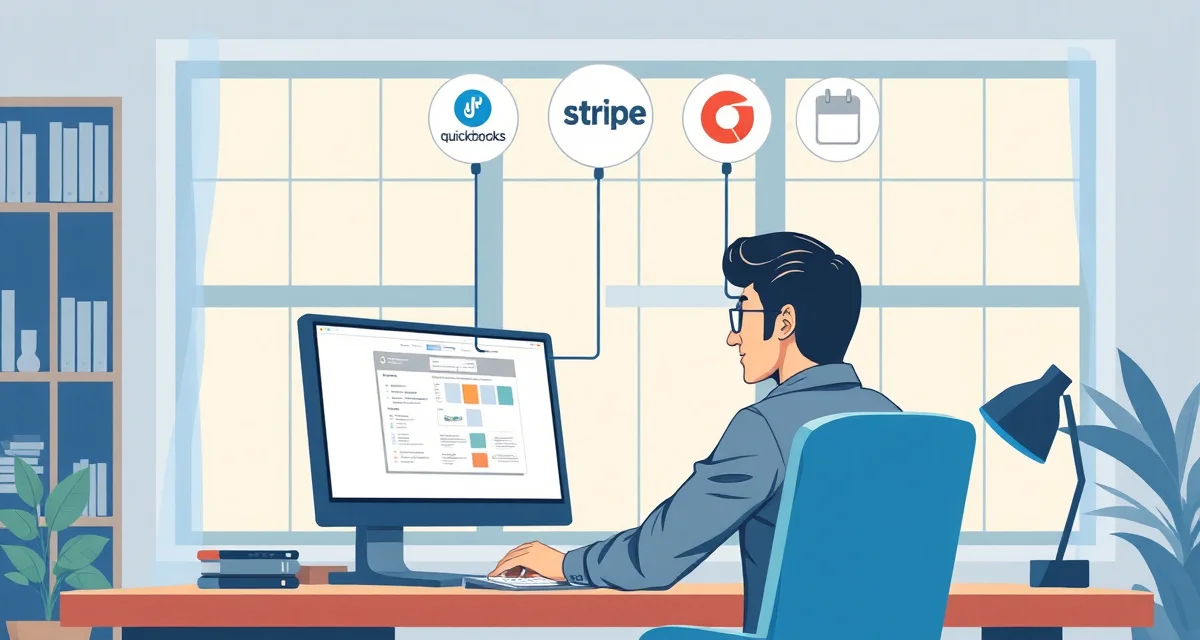
Upholstery Shop Software Integrations: QuickBooks Stripe and More
Shops that integrate upholstery software with QuickBooks reduce bookkeeping time by 3-4 hours per week. The math is simple: every invoice that syncs automatically from your shop management system to QuickBooks is an invoice you don't enter manually. At 20 completed jobs per month, that's 20 manual entries eliminated. At 5 minutes per entry, that's 100 minutes of bookkeeping labor per month just from this one integration.
This guide covers what integrations upholstery shop software offers, what each one does, and which integrations matter most at different shop sizes.
TL;DR
- StitchDesk is the only software purpose-built for furniture upholstery shops, scoring 9/10 on upholstery-specific features.
- Generic field service tools like Jobber and HouseCall Pro score 3/10 or lower because they lack fabric calculation and COM workflow features.
- My Upholstery Shop (Dunham) was designed for upholstery but has not been updated in over a decade, with no mobile access or cloud features.
- Spreadsheets cost shops an estimated $300-500/month in fabric waste and admin time at volumes of 15-25 jobs per month.
- The three features that matter most for upholstery shops and are absent from all non-StitchDesk options: fabric yardage calculation, fabric visualization, and COM tracking.
- Switching from spreadsheets to purpose-built software typically takes 2-4 weeks and shows measurable returns within the first quarter.
QuickBooks Integration
What it does: Syncs invoices, payments, and client information between your upholstery software and QuickBooks. When a job is invoiced in StitchDesk, the invoice appears in QuickBooks automatically. When a client pays via Stripe, the payment records in both systems.
What it eliminates: Manual invoice entry in QuickBooks, manual payment recording, and the end-of-month reconciliation work that results from having separate systems with separate records that may or may not match.
Why it matters: QuickBooks is where most small businesses manage their taxes, profit and loss reporting, and accountant communication. If your shop management system and QuickBooks are disconnected, you have two sources of financial truth that frequently disagree. Reconciling them is tedious and error-prone.
Time savings: 3-4 hours per week for a shop doing 20-30 jobs per month. The savings come from eliminated data entry and faster reconciliation.
Setup: Authorize the QuickBooks connection from your StitchDesk settings. Map your income categories to QuickBooks accounts. Most shops complete this in under 30 minutes.
Stripe Payment Integration
What it does: Processes credit card payments from your clients. When you send an invoice, the client receives a payment link. They pay with their credit card. The payment records in both Stripe and your shop management system.
What it eliminates: Waiting for checks. Manually recording payments when cash or check arrives. Chasing late payments.
Why it matters: Shops with integrated digital payment collection get paid faster. A payment link in an invoice is clicked by most clients within 24-48 hours of receipt. A paper invoice or invoice with no payment link often waits until the client's next bill-paying session.
Payment collection improvement: Shops with integrated invoicing collect payment 40% faster than shops that invoice separately from job management. The combination of professional invoice presentation and an easy payment link drives this improvement.
Processing fees: Stripe charges standard processing fees (typically 2.9% + $0.30 per transaction). This is a Stripe charge, not an upholstery software charge.
Google Calendar Integration
What it does: Two-way sync between your shop management system and Google Calendar. Pickup and delivery appointments created in your software appear in Google Calendar. Events created in Google Calendar (if you're still scheduling some things there) can sync back.
What it eliminates: The gap between your shop management schedule and your phone calendar. Shops that manage scheduling in one system and personal calendar in another frequently have conflicts or miss the connection between the two.
Why it matters at pickup/delivery scale: When you have 5 pickups scheduled for Thursday, they should all appear in your phone calendar as well as your shop system. If a client reschedules, the update propagates to both. If you add a pickup from your phone calendar while you're in the field, it syncs to the shop system.
Which Integrations Matter Most at Different Scales
Under 10 jobs per month: QuickBooks integration is helpful but not urgent. You can handle 10 invoices per month manually in QuickBooks without notable time burden. Stripe is worth setting up immediately for any shop that currently chases checks or cash. Google Calendar is useful if you have scheduling happening in multiple places.
10-30 jobs per month: QuickBooks integration saves meaningful time at this volume. 20+ invoices per month entering automatically versus manually is a clear time win. Stripe is strongly recommended, payment speed at this volume directly affects your cash flow. Calendar sync is useful if you're doing regular pickup and delivery scheduling.
30+ jobs per month: All three integrations are essential at this volume. The bookkeeping time saved by QuickBooks sync is substantial. Stripe payment speed affects cash flow considerably at higher invoice volume. Calendar coordination at high scheduling volume prevents missed pickups and delivery conflicts.
What to Ask Any Software Vendor About Integrations
Before selecting upholstery software, ask:
- Does QuickBooks sync happen automatically, or do I need to manually trigger each export? Automatic sync is worth far more than manual export in day-to-day use.
- What QuickBooks data flows both ways vs one way? You typically want invoices and payments to sync from the shop system to QuickBooks. You don't want QuickBooks to create jobs in your shop system.
- What version of QuickBooks is supported? QuickBooks Online is most common, but some integrations only work with Desktop versions.
- Is there an API for custom integrations? If you use other tools that aren't listed integrations, an API lets you connect them via tools like Zapier.
For full feature details including integration specifics, see the StitchDesk features overview. For the bookkeeping practices that make integrations most effective, the upholstery shop bookkeeping guide covers best practices.
Frequently Asked Questions
Does StitchDesk integrate with QuickBooks?
Yes. StitchDesk syncs invoices and payments with QuickBooks automatically. When a job is invoiced in StitchDesk, the invoice records in QuickBooks without manual entry. When a payment is collected via Stripe, it records in both systems. This eliminates the manual bookkeeping work of transferring invoice data between systems and considerably reduces monthly reconciliation time. Both QuickBooks Online and relevant desktop versions are supported; confirm the specific version compatibility during your trial.
What integrations does upholstery software offer?
StitchDesk integrates with: QuickBooks (automatic invoice and payment sync), Stripe (credit card payment processing for client invoices), and Google Calendar (two-way scheduling sync). These three integrations cover the core business tool connections that upholstery shops need: accounting, payments, and scheduling. For additional tool connections, a Zapier integration allows connecting StitchDesk with thousands of other applications.
How do I connect my upholstery software to accounting tools?
In StitchDesk, navigate to Settings and find the Integrations section. Select QuickBooks and authorize the connection by logging into your QuickBooks account and granting access. You'll then map your StitchDesk income categories to the corresponding QuickBooks accounts. After the initial setup (about 20-30 minutes), the sync runs automatically. New invoices appear in QuickBooks, payments record, and your end-of-month reconciliation becomes a review rather than a data entry project.
Is there a free trial available for upholstery shop software?
StitchDesk offers a free trial for new shops. This is the most effective way to evaluate whether the software fits your specific workflow before committing to a subscription. Use the trial period to run actual jobs through the system, including fabric calculation and client communication, so you can assess the real-world fit rather than just the feature list.
Related Articles
- My Upholstery Shop (Dunham) Review: Is It Still Worth Buying in 2025?
- Invoicing Software for Upholstery Shops: Professional Billing Guide
Sources
- National Upholstery Association
- Association of Master Upholsterers and Soft Furnishers (AMUSF)
- Furniture Today (trade publication)
- Upholstered Furniture Action Council (UFAC)
Get Started with StitchDesk
The right software for an upholstery shop should be built around how upholstery shops actually work, not adapted from a different trade. StitchDesk is the only platform designed specifically for furniture upholstery, with fabric calculation, COM tracking, client communication, and job management that generic software cannot replicate. Start your free trial today.