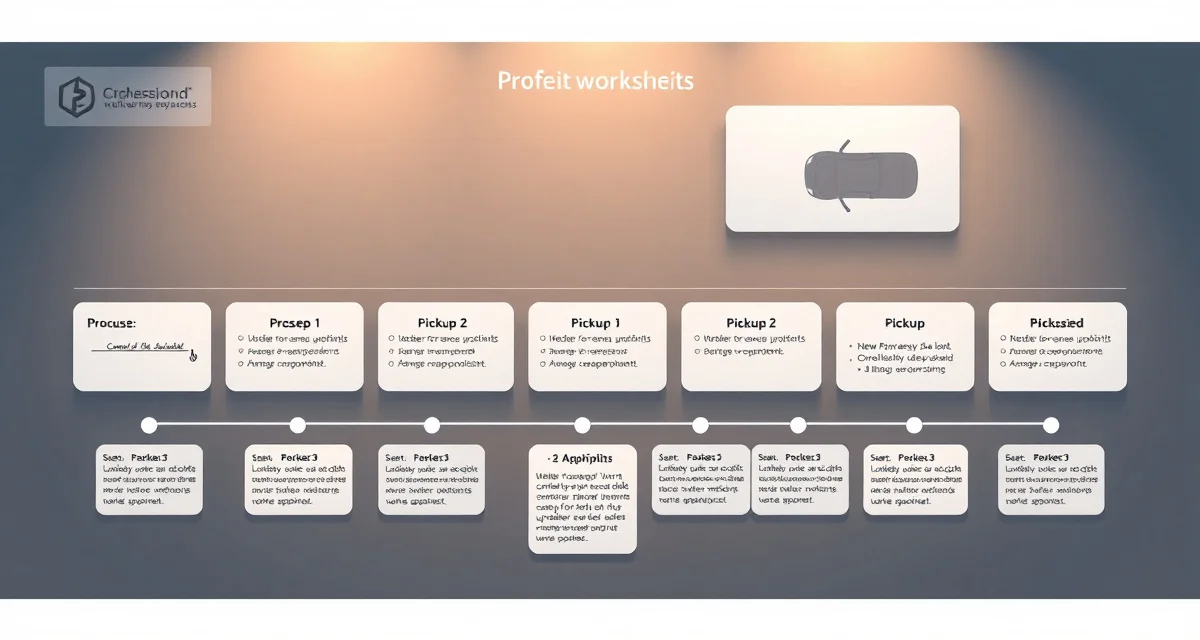
Upholstery Shop Workflow Guide: From Quote to Pickup
Shops with a documented workflow have 60% fewer missed deadlines and 40% lower status call volume from clients. That's not a software pitch, it's the difference between a shop that runs on systems and a shop that runs on memory. When the workflow lives in someone's head, every vacation, every sick day, and every busy period creates risk. When it's documented and followed, the shop produces consistent results regardless of who's running which job on a given day.
This guide covers the 7 stages of an upholstery job from first contact to pickup, with the time benchmarks and handoff criteria for each stage.
TL;DR
- A well-managed upholstery shop tracks every job from intake to delivery with documented status at each stage.
- Fabric management, including ordering, receiving, storing, and allocating by job, is operationally the most complex part of running an upholstery shop.
- Client communication (status updates, completion photos, delivery scheduling) reduces inbound calls and increases repeat business.
- Shops that document their workflow can train new employees faster and maintain consistent quality during growth periods.
- Measuring key metrics (jobs per week, average ticket, fabric waste rate) is the foundation of informed business decisions.
- Professional shop management tools pay for themselves through reduced errors and faster quoting, typically within the first quarter.
Why Most Upholstery Shops Need a Documented Workflow
Most upholstery shops grow organically. You started doing jobs. More jobs came. You hired someone. More jobs came. At some point there are 15 jobs in progress, fabric orders pending, two clients who called today for status, and you can't remember exactly where the Henredon sofa is in the process.
The answer isn't software (though software helps). The answer is a defined workflow, a series of named stages that every job moves through in a predictable sequence, with clear criteria for moving from one stage to the next.
A defined workflow does three things for your shop:
- Eliminates status call anxiety (you know exactly where every job is)
- Reduces missed deadlines (each stage has a time target)
- Scales better (a new employee can follow a process, not read a mind)
The 7 Job Stages
Stage 1: Quote
What happens: Client contacts the shop. You assess the piece (in person or from photos), identify fabric requirements, calculate yardage, and provide a price.
Time target: Same day for phone/email inquiries. Within 24 hours for site visits.
Handoff criteria: Client has received a written quote. The quote includes fabric, labor, and timeline estimate.
Common failures: Verbal quotes that don't get written down. Quotes that don't specify pattern repeat, fabric grade, or pickup lead time. Quotes that convert to deposits without confirming the fabric source.
What to document: The piece, the fabric (or client-supplied fabric status), the quoted price, and the quoted timeline.
Stage 2: Deposit and Fabric Order
What happens: Client accepts the quote and pays a deposit. You place the fabric order or confirm the client will supply fabric.
Time target: Deposit collected same day as acceptance. Fabric order placed within 24 hours of deposit receipt.
Handoff criteria: Fabric is on order (with purchase order number) or client has confirmed COM fabric delivery date.
Common failures: Starting a job without confirmed fabric. Ordering without a purchase order number for tracking. Not communicating the fabric lead time to the client.
What to document: Deposit amount, fabric vendor, PO number, expected arrival date.
Stage 3: Intake
What happens: Client delivers the piece (or you pick it up). You document condition at arrival, assign a job number, and tag the piece.
Time target: Document intake the day of arrival. Never let a piece sit without a job tag.
Handoff criteria: The piece has a job number, a physical tag, and a completed intake record with arrival photos.
Common failures: Pieces that arrive and wait to be processed. Condition not documented (leads to damage disputes later). Intake and fabric order not linked by job number.
What to document: Arrival date, condition photos (minimum: overall + any existing damage), job number, client name, expected pickup date.
Stage 4: Teardown and Assessment
What happens: The piece is disassembled. Fabric is removed, used as templates where appropriate. Frame is inspected for repairs needed. Foam and spring condition assessed.
Time target: Within 2 business days of intake for most shops. Same day for rush jobs.
Handoff criteria: Frame repairs identified and either completed or quoted to client. Fabric templates cut and labeled. Foam and spring status determined.
Common failures: Proceeding to production without frame inspection. Template fabric not labeled by panel. Discovering frame repairs that should have been in the original quote.
What to document: Frame condition notes, any repairs needed (with additional cost if applicable), template fabric panels labeled and stored with the job.
Stage 5: Production
What happens: Upholstery work is performed. Fabric is cut, sewn (welt, cushion covers, any seaming), and installed in panel sequence.
Time target: This varies by piece type. Benchmarks for an experienced upholsterer:
- Simple dining chair recovery: 15-30 minutes
- Accent chair: 3-5 hours
- Standard sofa (Lawson, tight back): 12-14 hours
- Wing chair: 8-10 hours
- Chesterfield sofa: 18-22 hours
Handoff criteria: All panels installed, cushions assembled, welt and trim complete. No loose edges, no visible tension issues.
Common failures: Rushing the last stages (outside back, dust cover) because earlier stages took longer. Skipping QC because the deadline is tomorrow.
What to document: Production start and completion dates. Any material used beyond the estimate (document for future quoting accuracy).
Stage 6: Quality Check
What happens: The completed piece is inspected before client notification. Every panel, seam, and trim element is checked.
Time target: Same day as production completion. Not the day of pickup.
QC checklist:
- All welt lines straight and consistent
- No visible staples on any surface
- Cushions plump and properly zipped
- Dust cover intact and clean
- Pattern matching correct (if patterned fabric)
- Mechanism functional (recliners, convertibles)
- No snags, pulls, or loose threads
Handoff criteria: QC passed. Any issues found at QC are fixed before client notification.
Common failures: QC done by the same person who did production. Flagging issues after client notification. Skipping QC entirely and discovering problems at pickup.
Stage 7: Client Notification and Pickup
What happens: Client is notified the piece is ready. They pick up (or you deliver). Final payment collected.
Time target: Notify within 24 hours of QC pass. Schedule pickup within the client's availability.
Handoff criteria: Final payment collected. Client inspects piece at pickup. Any concerns addressed before they leave.
Common failures: Notifying clients before QC is complete. Collecting final payment without a client inspection. No pickup appointment, leading to pieces sitting for weeks.
What to document: Pickup date, final payment confirmation, any post-job notes from client.
Setting Up the Workflow in Your Shop
Physical tracking (minimum)
If you're not using software, use a physical job board with columns for each of the 7 stages. Every job has a card. The card moves when the job moves. At a glance, you know what's in production, what's waiting for fabric, and what's ready for pickup.
This isn't fancy. A whiteboard and index cards works. What matters is that the system is used consistently, by everyone in the shop.
Digital tracking
Shop management software moves the job board into a system that everyone can see from anywhere, that logs the date of each status change, and that can notify clients automatically when their job advances to key stages.
StitchDesk's 7-stage job tracker mirrors this workflow directly, each stage is a named status, and status changes are logged with timestamps. The client portal updates automatically when a job advances, which is the primary driver of the 40% reduction in status calls. Clients check the portal instead of calling. For more on the customer-facing side of job tracking, see the customer portal guide for upholstery shops.
Time benchmarks for shop planning
Using the per-stage time benchmarks lets you plan production capacity realistically:
- If you have 8 sofas in production, and each takes 12-14 hours, and you have 40 available production hours per week, you can complete roughly 3 per week.
- If 4 are in teardown and 2 are in fabric-order pending, you know when the production backlog will build.
- If pickup rates are slower than production, you may need a storage protocol.
Most shops only start thinking about capacity when they're already behind. Running the numbers weekly prevents the surprise.
Bottleneck Identification by Stage
Every shop has a stage where jobs tend to pile up. Identifying yours is the first step to fixing it.
Pileup at Quote: Either you're too slow to quote or the quote conversion rate is too low. Common cause: visiting sites and not writing quotes the same day.
Pileup at Fabric Order: Either your vendors have long lead times or you're waiting for client COM fabric. Solution: communicate lead times in the quote, set a COM fabric deadline.
Pileup at Intake: You have more pieces arriving than you have space or capacity to process. Solution: intake scheduling, don't accept drop-off without a scheduled date.
Pileup at Production: Classic capacity issue. Solution: either reduce new quotes or add production capacity.
Pileup at QC: QC is being delayed to save time, creating a rework risk. Solution: QC is non-negotiable. Schedule it as its own calendar event, not an afterthought.
Pileup at Pickup: Clients aren't picking up finished pieces. Solution: hold the piece for 30 days, charge storage after that. Communicate this in writing at intake.
Communicating the Workflow to Clients
Clients call for status because they don't know where their piece is. The fix isn't faster phone answering, it's proactive communication at stage transitions.
The most impactful notification moments are:
- When fabric arrives, "Your fabric is in. Production starts [date]."
- When production is complete and QC passes, "Your piece is ready for pickup."
Two notifications, clearly timed, eliminate 80% of status calls. Clients who know the workflow, and who get notified when their piece advances, don't need to call.
You can do this manually (a text or email at each stage) or automatically with software that sends notifications when the job status changes. Either works. The manual approach takes 2 minutes per job per notification. Multiply that by 20 active jobs and you're spending 30-40 minutes a day on status updates. Automation gets that to near zero.
For the full shop management approach beyond workflow, the upholstery shop management guide covers scheduling, quoting, and client communication as a system.
Frequently Asked Questions
How do I organize my upholstery shop workflow?
Define the stages every job moves through, quote, deposit and fabric order, intake, teardown and assessment, production, QC, and pickup, and create a physical or digital system to track which stage every job is in at all times. Assign time targets to each stage and document what has to happen before a job can advance to the next stage. The workflow only works if it's consistent: every job goes through every stage, in order, with documentation at each step.
What is the standard process for an upholstery job?
The standard upholstery job process runs 7 stages: (1) Quote the job and get written acceptance; (2) Collect deposit and place the fabric order; (3) Intake the piece with condition documentation and job tagging; (4) Teardown and assess frame, foam, and springs; (5) Production, cut, sew, install all panels in sequence; (6) Quality check all surfaces and mechanisms before client notification; (7) Notify client, schedule pickup, collect final payment. This sequence prevents the most common problems: missing fabric, undocumented damage, and quality issues discovered at pickup rather than at QC.
How do I reduce status calls from customers?
The most effective strategy is proactive notification at two key moments: when the fabric arrives (so clients know production has started) and when the piece passes QC (so they can schedule pickup). Between those two notifications, clients who know the timeline don't call. A customer portal that shows real-time job status reduces calls further, clients check the portal rather than calling the shop. Shops using this approach report 40-70% fewer inbound status calls within the first month.
How do I track multiple jobs at different stages simultaneously?
A job tracking system, whether paper-based or software-based, should give you a clear view of every active job's current stage at a glance. The minimum useful stages are: intake received, fabric ordered, fabric received, work in progress, quality check, ready for pickup/delivery, completed. Software that shows all active jobs on a single dashboard with current stage and due date eliminates the mental overhead of tracking multiple jobs manually.
Sources
- National Upholstery Association
- Association of Master Upholsterers and Soft Furnishers (AMUSF)
- Upholstered Furniture Action Council (UFAC)
- Furniture Today (trade publication)
Get Started with StitchDesk
A well-run upholstery shop is built on consistent processes, accurate information, and clear client communication. StitchDesk gives you the tools to manage all three from intake to delivery, without the overhead of paper systems or generic software that does not understand the trade. Start a free trial and see how StitchDesk fits your workflow.