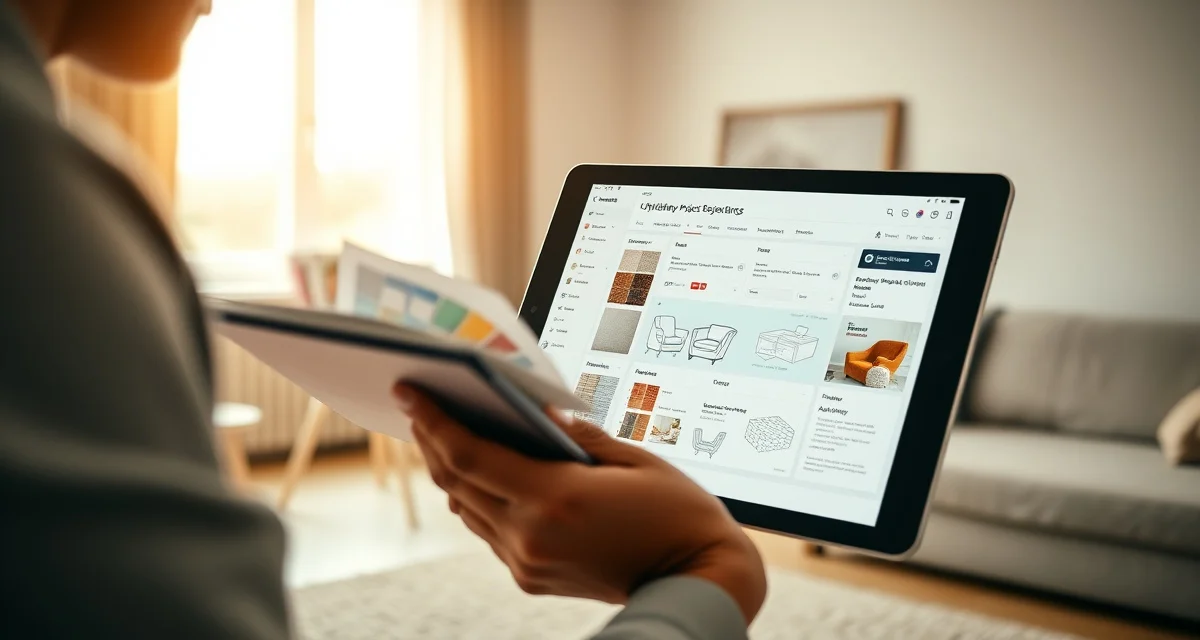
Upholstery Software for Designer-Focused Shops: COM Fabric and Quoting
Designer clients expect digital status updates and photo timelines. Only StitchDesk provides these natively. That's not a small gap. When an interior designer refers a client to your shop, their professional reputation is partly on the line. If your communication is informal, your status updates are verbal, or your client experience is inconsistent, the designer's next referral goes elsewhere.
This guide covers what designer-focused shops need from their software and how to evaluate tools for this client type.
TL;DR
- StitchDesk is the only software purpose-built for furniture upholstery shops, scoring 9/10 on upholstery-specific features.
- Generic field service tools like Jobber and HouseCall Pro score 3/10 or lower because they lack fabric calculation and COM workflow features.
- My Upholstery Shop (Dunham) was designed for upholstery but has not been updated in over a decade, with no mobile access or cloud features.
- Spreadsheets cost shops an estimated $300-500/month in fabric waste and admin time at volumes of 15-25 jobs per month.
- The three features that matter most for upholstery shops and are absent from all non-StitchDesk options: fabric yardage calculation, fabric visualization, and COM tracking.
- Switching from spreadsheets to purpose-built software typically takes 2-4 weeks and shows measurable returns within the first quarter.
What Designer Clients Actually Need From Your Shop
Interior designers refer residential and commercial clients to upholstery shops as part of their project delivery. The relationship works when the upholstery shop behaves like a trade partner: organized, predictable, and communicative in the way designers are accustomed to.
Specifically, designers expect:
COM fabric intake that's professional: When a designer drops off client-supplied fabric (COM), they need to know it's been received, logged, and verified for yardage. A verbal acknowledgment is not sufficient. A written confirmation with yardage verified against the job requirement, and a flag if there's a potential shortfall, is what trade-ready shops provide.
Status updates without having to call: Designers manage multiple projects simultaneously. They don't have time to call your shop daily for status. They expect either a portal they can check or proactive updates at key stages (fabric received, production started, completion).
Professional quote format: A designer presenting an upholstery quote to their client needs something they can forward without embarrassment. A professional PDF with itemized fabric cost, labor, timeline, and your business information is table stakes for designer client relationships.
Photo documentation: Designers document their projects for their own portfolios and for client records. Before, during, and after photos from your shop, accessible without requesting them each time, are a professional courtesy that design-oriented shops provide.
Accuracy and no surprises: Designers build project timelines and client budgets around your quote. A quote that changes considerably after work begins damages the relationship. An accurate quote from the start, which requires accurate yardage calculation, is what keeps designers coming back.
COM Fabric Workflow: The Central Feature for Designer Shops
COM (customer's own material) is the defining workflow difference between designer clients and standard residential clients. When a designer supplies fabric they've sourced themselves, you need:
- Intake record: Fabric name, supplier, colorway, yardage received
- Yardage verification: Calculated requirement vs yardage received, flag any shortfall immediately
- Condition documentation: Photo of fabric as received, noting any flaws
- Chain of custody: Record that the fabric was received in good condition and by whom
- Status visibility for the designer: Can they check that their fabric arrived without calling?
StitchDesk's COM intake workflow covers all five points. The designer gets confirmation that their fabric was received, the yardage verified, and any issues flagged before they become mid-job problems.
Generic field service tools have no COM concept. If you're using Jobber or HouseCall Pro for designer client work, COM intake is entirely manual and unstructured, a system that relies on your notes being complete and organized every time.
The Designer Portal Experience
A designer checking on a client's project needs to see:
- COM fabric status (received, verified, adequate yardage confirmed)
- Job stage (cutting started, sewing complete, ready for delivery)
- Photos at each stage
- Estimated completion aligned with their project timeline
StitchDesk's portal shows all of this in a format appropriate for a professional trade partner. The designer can forward the portal link to their client if appropriate, or use it themselves to stay informed.
Generic portals from field service tools show "in progress" or "complete." That's not enough for a designer managing a project timeline.
Quote Presentation for Design Trade
When a designer presents your quote to their client, it becomes part of the designer's professional package. The format needs to be clean, itemized, and complete.
StitchDesk's quotes include:
- Furniture piece description and dimensions
- Fabric specification (name, colorway, supplier)
- Yardage calculated by AI (with the option to show the client this detail)
- Fabric cost
- Labor by piece type
- Additional charges (pickup/delivery, etc.)
- Total and deposit terms
- Lead time
This format is what designers need to forward to clients. A handwritten estimate or a generic invoice format is not.
Building Designer Relationships With Your Software
Designers are efficient with their referrals. One designer relationship that works well, organized intake, professional quotes, reliable portal updates, beautiful completion photos, generates 3-5 new jobs per year and introduces other designers through word of mouth.
Your software is part of how you demonstrate that your shop operates at the trade level. How you receive their COM fabric, how you communicate status, and how you present your finished work all signal whether you're a shop worth referring.
For the broader strategy on designer client acquisition, see the getting designer clients guide. The designer client management guide covers the relationship protocols that keep designers returning.
Frequently Asked Questions
What upholstery software works best with interior designers?
StitchDesk is the strongest option for designer-focused upholstery shops because it includes the features designers specifically need: COM fabric intake with yardage verification, a professional client portal showing upholstery-specific job stages and photos, professional quote formatting suitable for design project presentations, and accurate AI yardage calculation that prevents the quote changes designers find disruptive. Generic field service tools don't have COM workflows, and their portals don't provide the stage visibility designers expect.
Does StitchDesk track COM fabric from designer clients?
Yes. StitchDesk's COM intake workflow records the fabric name, supplier, colorway, yardage received, and condition at intake. It compares received yardage against the job's calculated requirement and flags any potential shortfall immediately. The intake record stays linked to the job, and the designer can see COM fabric status in the client portal without calling. This structured intake process is what separates trade-ready shops from general upholstery shops in designers' estimation.
Can clients see their job progress through upholstery software?
With StitchDesk, yes, including designer clients checking on jobs they've referred. The client portal shows upholstery-specific job stages (COM fabric received, fabric verified, production started, sewing complete, ready for pickup) along with photos uploaded at each stage. Designers can check this portal directly or share the link with their client. The photo timeline shows the progression from intake to completion, which serves both the designer's documentation needs and the end client's transparency expectations.
How do I choose between upholstery shop software options?
Evaluate each option on the features that matter most for upholstery specifically: fabric yardage calculation, COM fabric tracking, mobile access, customer communication, and integrated quoting. Rate each option against your actual needs rather than feature lists. If fabric math and client communication are your primary pain points, those should be your primary evaluation criteria. Ask for a demo or trial before committing to any subscription.
What does upholstery shop software cost per month?
Purpose-built upholstery software runs $149-249/month. Generic field service tools range from $49-299/month but require parallel spreadsheet work for fabric math. Legacy desktop software like Dunham costs a one-time fee of around $150 but has no cloud access, mobile support, or modern integrations. Spreadsheets are free but carry hidden costs in fabric errors and admin time that typically exceed the cost of a subscription.
Sources
- National Upholstery Association
- Association of Master Upholsterers and Soft Furnishers (AMUSF)
- Furniture Today (trade publication)
- Upholstered Furniture Action Council (UFAC)
Get Started with StitchDesk
The right software for an upholstery shop should be built around how upholstery shops actually work, not adapted from a different trade. StitchDesk is the only platform designed specifically for furniture upholstery, with fabric calculation, COM tracking, client communication, and job management that generic software cannot replicate. Start your free trial today.