Upholstery Job Tracking: Never Lose a Job Status Again
Shops with 7-stage job tracking respond to status calls in 10 seconds versus shops without systems taking 5 minutes. That's not just an efficiency improvement, it's a confidence improvement. When a client calls and you immediately say "your sofa is in production, fabric arrived Monday, we start installing panels today," the client feels taken care of. When you say "let me find that... I think it's... hold on," the client feels uncertain.
Job tracking isn't about software. It's about having a defined set of stages every job moves through, and a system to know where every active job is at any moment.
TL;DR
- A well-managed upholstery shop tracks every job from intake to delivery with documented status at each stage.
- Fabric management, including ordering, receiving, storing, and allocating by job, is operationally the most complex part of running an upholstery shop.
- Client communication (status updates, completion photos, delivery scheduling) reduces inbound calls and increases repeat business.
- Shops that document their workflow can train new employees faster and maintain consistent quality during growth periods.
- Measuring key metrics (jobs per week, average ticket, fabric waste rate) is the foundation of informed business decisions.
- Professional shop management tools pay for themselves through reduced errors and faster quoting, typically within the first quarter.
The 7 Job Stages
These stages map the lifecycle of every upholstery job from first contact to pickup:
Stage 1: Quote
The job exists as a quote. Client has received a price but hasn't paid a deposit. No fabric has been ordered.
What advances the job: Deposit received.
Stage 2: Deposit Received / Fabric Order Pending
The client has paid a deposit. You haven't placed the fabric order yet (either because fabric hasn't been selected, or you're waiting for a fabric confirmation).
What advances the job: Fabric order placed (PO created with vendor).
Stage 3: Fabric Ordered
Fabric is on order. The job is waiting for fabric arrival. You can tell a client their fabric is ordered and expected by [date].
What advances the job: Fabric arrives at your shop.
Stage 4: In Production
Fabric has arrived and you've begun work (or the job is queued for production). This is the active work stage.
What advances the job: Production complete (all panels installed, cushions assembled, piece finished).
Stage 5: Quality Check
Production is complete. You're inspecting the piece before notifying the client. The QC stage exists separately from production so that client notification never happens until QC is passed.
What advances the job: QC passed (all items on the checklist confirmed).
Stage 6: Ready for Pickup
QC is passed and the client has been notified. The job is waiting for the client to schedule or complete pickup.
What advances the job: Client picks up the piece and final payment is collected.
Stage 7: Picked Up / Complete
Job is closed. The piece has left your shop, final payment is collected, and the job record is archived.
Setting Up a Physical Tracking System
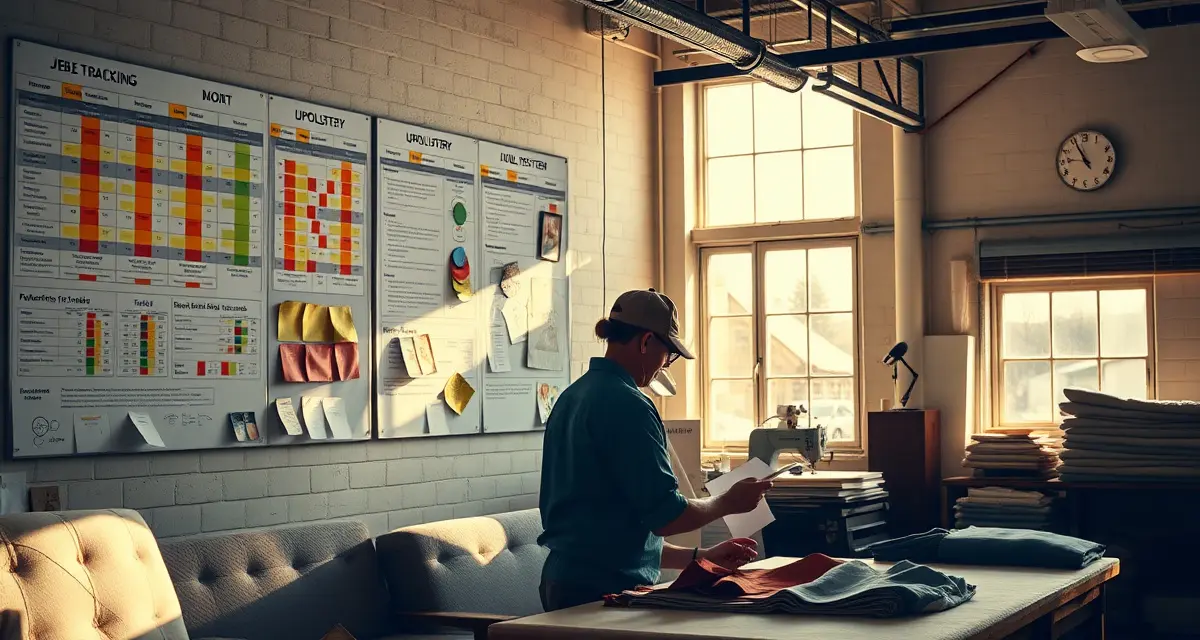
The lowest-tech version of job tracking: a whiteboard with 7 columns (one per stage) and a card for each active job.
Each card has:
- Job number
- Client name
- Piece description
- Expected pickup date (written in red if at risk)
When a job advances, the card moves to the next column. Anyone in the shop can see the status of every job at a glance.
The whiteboard system works for 15-20 active jobs before it becomes unwieldy. Cards fall off, columns get crowded, and there's no record of when each stage was reached.
Digital Job Tracking
Digital job tracking solves the limitations of a whiteboard:
- Each stage change is time-stamped
- Multiple people can see and update from anywhere
- Client portal shows the current stage to the client automatically
- Notifications can be sent automatically when a job advances to key stages
StitchDesk's 7-stage tracker mirrors the stages above directly. Every job has a status field that shows the current stage. When you change the status (fabric arrived → In Production), the system logs the date and time and, if configured, sends an automatic notification to the client.
The fabric tracking within each job record links the fabric order to the job stage, when fabric is marked as received, the job can advance to In Production. This prevents the common error of starting production before confirming the fabric is the right one.
The Fabric Milestone Within Production
Fabric management is the most common source of job delays. Within the production stage, a sub-status for fabric is useful:
- Fabric ordered: PO placed, arrival pending
- Fabric received: Fabric is in-shop, verified correct
- Production started: Work has begun on this job
This level of detail is visible to the shop owner and (if desired) to the client through the portal. A client who can see "fabric ordered, expected [date]" doesn't need to call.
Responding to Status Calls in 10 Seconds
With a job tracking system, every status call follows the same pattern:
Client: "Hi, I'm calling to check on my sofa, it's job number J-0487."
You: [Click job in StitchDesk, look at current status] "Your sofa is in production, fabric arrived last Monday, we started installation yesterday. You're on track for your estimated pickup date of [date]. We'll contact you when it passes quality check and is ready."
Total time: 10-15 seconds.
Without a system: you search email, check the whiteboard, try to remember when the fabric arrived, ask your employee if they've started on it. Total time: 3-5 minutes, and you may still not have a confident answer.
The time difference per call is small. At 8-10 status calls per day, it adds up to 20-40 minutes reclaimed daily.
When a Job Is at Risk
A job at risk is one where the expected pickup date may not be met. Causes:
- Fabric delayed from the vendor
- Frame repairs discovered that require additional time
- Production overloaded (jobs in production more than expected)
When a job goes at risk, contact the client before they contact you. This is the highest-impact communication practice in upholstery shop client management.
"Hi [Name], I wanted to let you know that your fabric has been delayed, the vendor is running about a week behind. Your new estimated pickup date is [date]. I'll update you as soon as we have your fabric in and production is complete."
Proactive delay communication maintains trust even when you're delivering bad news. Clients who find out about delays by calling you feel like they had to chase you. Clients who receive proactive notification feel taken care of.
For the full workflow system that job tracking fits into, the upholstery shop workflow guide covers all 7 stages with time benchmarks and handoff criteria. For the customer portal that shows clients their job stage automatically, see the customer portal guide for upholstery shops.
Frequently Asked Questions
How do I track upholstery jobs in my shop?
Define the 7 stages every job moves through: Quote, Deposit Received, Fabric Ordered, In Production, Quality Check, Ready for Pickup, and Picked Up. Create a system to record which stage each job is in, a whiteboard with job cards, a spreadsheet, or purpose-built job management software like StitchDesk. Record the date of each stage transition. When a client calls for status, pull up the job and tell them their current stage and expected pickup date. The tracking system also tells you your production capacity at any moment: count the jobs in Production and compare to your available hours.
What stages should an upholstery job go through?
Seven stages cover the full lifecycle: (1) Quote, price given, no deposit yet; (2) Deposit Received / Fabric Order Pending, deposit collected, fabric not yet ordered; (3) Fabric Ordered: PO placed with vendor, job waiting for fabric; (4) In Production, fabric received, work underway or queued; (5) Quality Check, production complete, piece being inspected; (6) Ready for Pickup: QC passed, client notified; (7) Picked Up, job complete. Each stage has a specific criterion that must be met before advancing to the next. The stages that most often get skipped in practice: Fabric Order Pending and Quality Check, are the ones whose absence causes the most problems.
How do I know which jobs are ready for pickup?
In a job tracking system, any job with "Ready for Pickup" status is waiting for the client. In a physical system, the "Ready for Pickup" column on your whiteboard shows all pieces awaiting pickup. The ready-for-pickup stage should only be reached after quality check is complete and the client has been notified, not when production is done. If clients aren't picking up within a reasonable timeframe after notification (5-7 business days), a follow-up text is appropriate. If pieces sit for weeks, implement a storage policy in your intake terms.
How do I track multiple jobs at different stages simultaneously?
A job tracking system, whether paper-based or software-based, should give you a clear view of every active job's current stage at a glance. The minimum useful stages are: intake received, fabric ordered, fabric received, work in progress, quality check, ready for pickup/delivery, completed. Software that shows all active jobs on a single dashboard with current stage and due date eliminates the mental overhead of tracking multiple jobs manually.
Sources
- National Upholstery Association
- Association of Master Upholsterers and Soft Furnishers (AMUSF)
- Upholstered Furniture Action Council (UFAC)
- Furniture Today (trade publication)
Get Started with StitchDesk
A well-run upholstery shop is built on consistent processes, accurate information, and clear client communication. StitchDesk gives you the tools to manage all three from intake to delivery, without the overhead of paper systems or generic software that does not understand the trade. Start a free trial and see how StitchDesk fits your workflow.