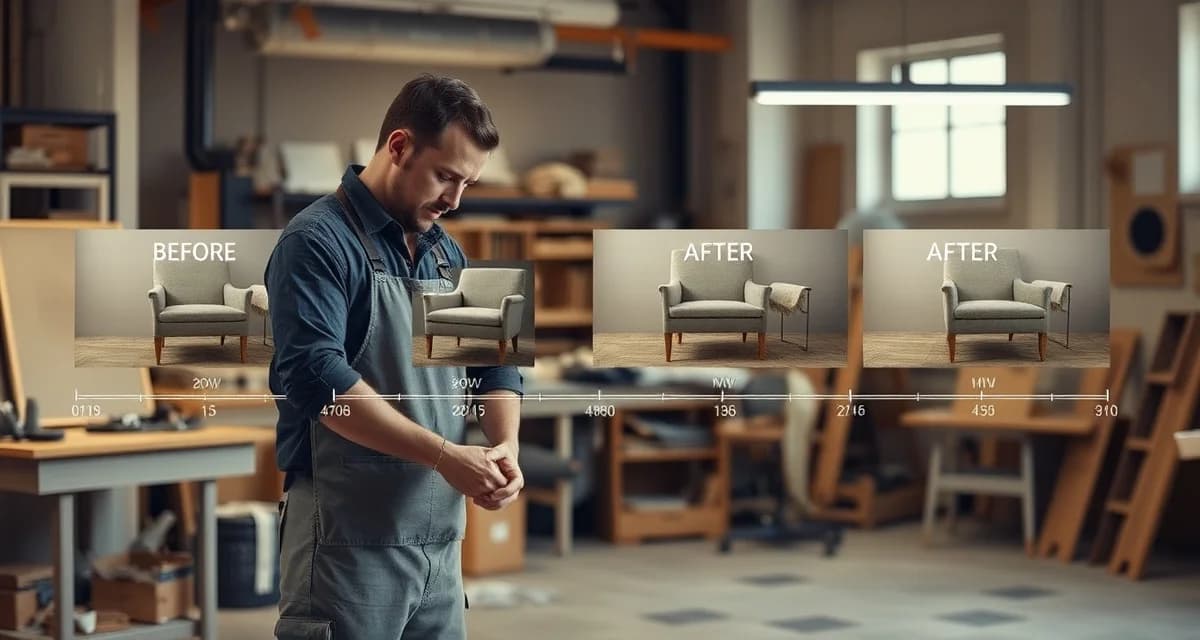
Upholstery Job Photo Timeline: Automatic Documentation for Every Stage
Shops that share photo timelines via customer portal reduce pickup-day surprises by 70% and boost referrals, because clients who saw the transformation happening are more likely to talk about it. A photo timeline is both an operational record and a marketing tool. The before-after sequence you post on Instagram starts with the same photos you documented during the job.
The habit is what matters. You're already in the shop doing the work. Taking a photo at each milestone adds 30 seconds per stage. Over a full job, that's 4 minutes of photography that generates weeks of marketing content and protects you against every dispute.
TL;DR
- Before-and-after photography is the highest-return marketing investment for an upholstery shop; clients choose shops based on portfolio quality.
- Google Business Profile optimization and review management are the most important local SEO actions for upholstery shops.
- Instagram and Houzz are the most effective platforms for upholstery shops because both are visually driven and interior-design adjacent.
- Referral programs with interior designers and furniture stores generate higher-quality leads than paid advertising for most shops.
- A consistent Google review strategy converts satisfied clients into visible social proof that attracts new clients.
- Most upholstery shops grow fastest through referral quality, not advertising spend: document every job and ask satisfied clients for reviews.
The 8 Photo Milestones
For every job, take photos at these 8 stages:
Milestone 1: Before (arrival state)
Before you touch the piece. Overall view from the front, angled to show three surfaces. This is the baseline, the state the piece was in when it arrived. It doubles as your intake damage documentation.
Take: 1 overall front-angle shot, 1 detail of the worst worn area.
Milestone 2: Teardown
After the old fabric is removed, showing the frame and construction. This is often the most interesting photo for clients, they've never seen the inside of their sofa. It also documents the spring and foam condition before you addressed it.
Take: 1 overall bare-frame shot, 1 close-up of any repairs needed (springs, foam, frame joint).
Milestone 3: Foam replacement (when applicable)
New foam cut and fitted to the piece. If you're replacing foam, document the new foam installed on the seat or cushion bases. If the original foam was reused, skip this milestone or take a note photo showing the foam assessment.
Take: 1 photo of new foam installed, from front angle.
Milestone 4: Fabric cut
Your fabric laid out and cut, showing pattern matching (if applicable) or the cut panels labeled and organized. This is particularly valuable for patterned fabrics, it shows the client you planned the pattern placement before cutting.
Take: 1 overhead photo of cut panels on the worktable.
Milestone 5: During (work in progress)
The piece mid-installation, with inside panels installed and outside panels not yet closed. This shows the process, the foundation, the tension, the welt cord going on. Clients find this fascinating. It's also proof that the construction is done correctly, not just the surface.
Take: 1 photo from the front showing installation in progress.
Milestone 6: Welt and seam detail
A close-up of the finished welt cord, seam line, or any decorative detail (nailhead, trim) that represents your craftsmanship. This is your quality-of-work proof shot.
Take: 1 close-up of the welt line on the front arm or deck edge.
Milestone 7: After, finished piece
Same angle and framing as the arrival photo. This is the before-and-after pair. Full piece in frame, cushions arranged, from the same 45-degree front angle as the before shot.
Take: 1 overall front-angle shot (matching the before), 1 close-up of the same worn area now new.
Milestone 8: After, beauty shot
A slightly wider view, better staged, showing the piece in its best light. Cushions arranged naturally, lighting good, piece centered in frame. This is the social media shot, aspirational, polished, designed to be shared.
Take: 1 wide-angle or well-staged beauty shot.
Organizing Photos by Job
Photos taken on your phone without a system become useless quickly. Three phones sharing a job create chaos. The solution is a consistent file organization habit.
Option A: Phone folders
Create a folder named with the job number (e.g., "J-0423-Walker-Sofa") before you take any photos. Take all photos for that job directly into that folder. When the job is complete, the entire photo timeline is in one place, labeled by job.
Option B: Integrated job management software
StitchDesk lets you upload photos directly from your phone to the job record at any stage. The photos are attached to the job, time-stamped automatically, and visible in the client portal if you choose to share them. The client can see their job progressing without a single phone call. For more on the client portal setup, see the customer portal guide for upholstery shops.
Option C: Google Photos or iCloud with job-number albums
Create an album per job. Share individual albums with clients who want progress photos. Simple, free, and accessible from any device.
Whatever system you use, the rule is: organize by job number at the time of taking, not later. Retroactive sorting is how photos get lost.
Using the Photo Timeline for Marketing
The 8-milestone photo sequence generates content at multiple scales:
Before-and-after pair: Milestones 1 and 7. Post together with a caption describing the piece, fabric, and what changed. This is your highest-performing content type, transformation is inherently compelling.
Process Reel: String milestones 1-7 into a short video (Instagram Reels, TikTok). 15-30 seconds with no audio needed. The transformation from bare frame to finished piece in 15 seconds is highly shareable.
Detail post: Milestone 6 (welt close-up or trim detail). Post with a caption about craftsmanship or the specific technique used. This positions your work as skilled and careful.
Interesting frame post: Milestone 2 (bare frame after teardown). "Did you know what's inside your sofa?" performs well as educational content.
The average job generates content for 3-4 posts. A shop doing 15 jobs per month has content for 45-60 posts, far more than needed for a consistent 4-posts-per-week schedule. The content is already created; it just needs to be organized and posted.
For the photography specifics on lighting, angles, and staging, see the before-and-after photography guide for upholstery shops.
When to Share Photos with Clients
Sharing progress photos proactively does more for client satisfaction than answering status calls after the fact.
The two most impactful moments to share photos:
At teardown: "Here's what we found when we opened up your sofa. We're replacing the seat foam (see photo) and retying a spring on the left side. This is included in your quote. Production starts [date]."
At completion: "Your sofa is ready. Here's a preview before you come in for pickup." Include milestone 7 or 8.
Clients who see the teardown photo understand why the job takes time. Clients who see the finished photo before pickup arrive excited, not anxious. Both outcomes reduce friction at pickup.
Frequently Asked Questions
How do I create a photo timeline for upholstery jobs?
Take photos at 8 milestones for every job: arrival state, teardown, foam replacement (if applicable), fabric cut, mid-installation, welt or seam detail, finished piece (matching the arrival angle), and a final beauty shot. Organize photos by job number immediately, either in a phone folder, an album, or your job management software. The habit of taking the photo at the moment (not going back later) is what makes the system work. Four minutes of photography per job generates marketing content, client communication material, and dispute protection.
Should I photograph every stage of an upholstery job?
Yes. The 8-milestone sequence takes approximately 4 minutes over the course of a full job and produces multiple types of value: intake damage documentation (dispute protection), progress photos for client communication (reduced status calls), before-after content for social media (lead generation), and a job record for quality review. Shops that skip photography are leaving marketing content ungenerated and removing their protection against damage claims. Start with milestones 1, 7, and 8 if you're new to the habit, before, after, and beauty shot, and add the other milestones as it becomes routine.
How do I share progress photos with customers?
The options range from simple to integrated. Simple: text or email the photos directly to the client at teardown and completion. Intermediate: create a Google Photos or iCloud album per job and share the link. Integrated: use shop management software with a client portal that lets clients see job status and attached photos without calling. The portal approach is the most scalable, it requires no active effort per client after setup, and clients check it on their own schedule rather than calling during your production hours.
How should I photograph upholstery work for marketing?
Photograph every significant job in consistent, well-lit conditions before delivery. Use natural light from a large window where possible; avoid flash photography which flattens texture. Shoot from the same angle as the 'before' photo so the comparison is clear. Include at least one detail shot showing fabric texture, welt cording, or tufting quality. A consistent before-and-after format across all your portfolio images creates a professional visual identity.
How do I get more Google reviews for my upholstery shop?
Ask every satisfied client at delivery, when their satisfaction is highest and fresh. Make the request easy by sending a direct link to your Google review page via text or email immediately after the handoff conversation. Mention that reviews help other clients find quality upholstery work. Do not offer incentives for reviews, as this violates Google's terms and can result in penalties. Respond to every review, positive and negative, to show that your shop is attentive and professional.
Sources
- National Upholstery Association
- Association of Master Upholsterers and Soft Furnishers (AMUSF)
- Interior Design Society (IDS)
- Furniture Today (trade publication)
Get Started with StitchDesk
The best marketing for an upholstery shop is high-quality before-and-after photography paired with proactive client communication that generates strong reviews. StitchDesk's customer portal and job photo timeline give you the tools to document every job professionally and keep clients informed throughout. Try StitchDesk free and see how it supports your shop's reputation.